
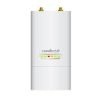
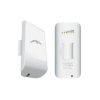

Ubiquiti airMax NanoStation M2 – NSM2
Original price was: KSh 15,000.00.KSh 14,800.00Current price is: KSh 14,800.00. Ex.VAT
Ubiquiti airMax NanoStation M2 – NSM2
The Ubiquiti NanoStation M2 (NSM2) is a compact, powerful outdoor wireless access point designed for long-range point-to-point (PtP) and point-to-multipoint (PtMP) applications.
With its robust construction and advanced features, it provides reliable connectivity in various environments, making it ideal for extending networks over considerable distances.
Specifications
- Model: NSM2
- Mechanical Dimensions: 294 x 31 x 80 mm (11.6 x 1.2 x 3.2″)
- Weight: 400 g (14.1 oz)
- Enclosure Material: Outdoor UV-stabilized plastic
- Mounting: Pole-mount (Kit included)
Hardware
- Networking Interface: (2) 10/100 MbE RJ45 ports
- Power Method: Passive PoE 2-pair (4, 5+; 7, 8 return)
- Power Supply: 24V, 0.5A PoE adapter (Included)
- Supported Voltage Range: 22–27V DC
- Max. Power Consumption: 5.5W
- Ambient Operating Temperature: -30 to 75 °C (-22 to 167 °F)
- Ambient Operating Humidity: 5 to 95% noncondensing
- Shock & Vibration: ETSI300-019-1.4
System
- Frequency: 2.4 GHz
- Operating Frequency: 2412-2462 MHz
- Gain: 10.4-11.2 dBi
- Cross-Pol Isolation: 23 dB Min.
- Max. VSWR: 1.6:1
- Beamwidth: 55° (H-pol) / 53° (V-pol) / 27° (Elevation)
- Polarization: Dual linear
Common FAQs
- What is NanoStation M2 used for?
The NanoStation M2 is commonly used for extending wireless networks over long distances, providing internet access to remote locations, and establishing point-to-point links between buildings or sites. It is particularly effective in rural or suburban areas where traditional cabling is impractical.
- What does a Ubiquiti NanoStation do?
A Ubiquiti NanoStation functions as a wireless access point that enables the transmission and reception of wireless signals. It acts as a bridge to connect different network segments, allowing devices to communicate wirelessly over long distances.
- How far can the NanoStation M2 point to point?
The NanoStation M2 can achieve point-to-point connections of up to 15 km (approximately 9 miles) under optimal conditions. Actual distance may vary based on environmental factors such as obstacles, terrain, and interference.
- How do I connect my NanoStation M2 to my router?
To connect the NanoStation M2 to your router:
- Use an Ethernet cable to connect one of the NanoStation’s RJ45 ports to your router’s LAN port.
- Power the NanoStation using the included PoE adapter.
- Configure the NanoStation through its web interface, typically accessed via a web browser using its default IP address.
- Set the desired mode (e.g., Access Point or Station) and configure the necessary settings for your network.
Be the first to review “Ubiquiti airMax NanoStation M2 – NSM2”
Related products
Ubiquitti Antennas

Ubiquitti Antennas
Ubiquitti Antennas
Ubiquitti Antennas

Ubiquitti Antennas

Ubiquitti Antennas
Ubiquiti airMAX 5 GHz, 19/20 dBi Sector Antenna – AM-5G19-120
Ubiquitti Antennas
Ubiquitti Antennas
Reviews
There are no reviews yet.